Every device connected to the internet has an IP address. Most people have no idea what their IP address is or what information it exposes about them. This guide explains everything — what an IP address is, what it reveals, and how to check yours for free right now.
1. What Is an IP Address?
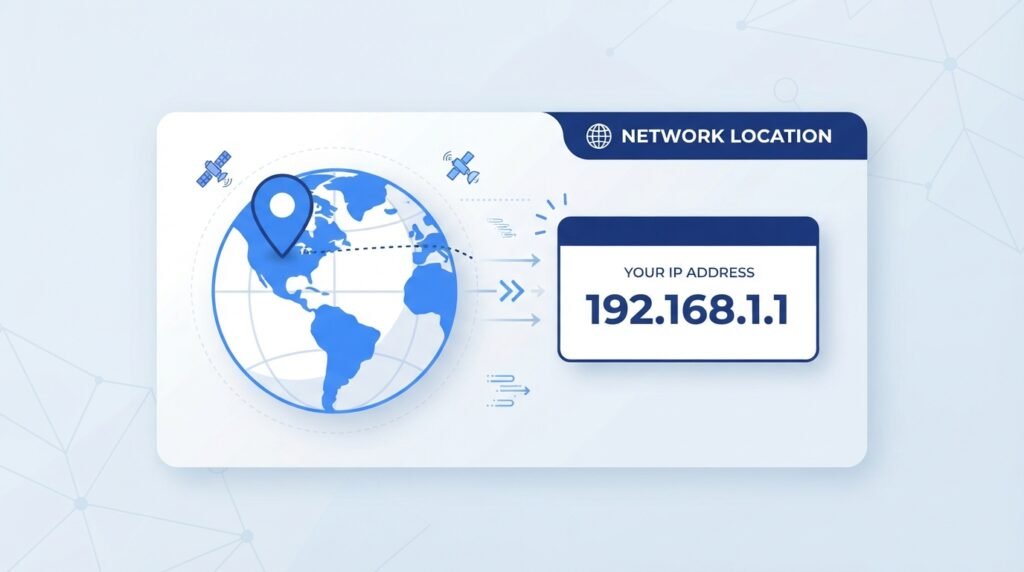
IP stands for Internet Protocol. An IP address is a unique numerical label assigned to every device that connects to the internet — your phone, laptop, tablet, smart TV, and router all have one.
Think of an IP address like your home’s postal address. Just as a postal address tells the post office where to deliver your mail, your IP address tells the internet where to send the data you request — websites, videos, emails, and everything else.
An IP address looks like this: 103.42.186.5 (IPv4) or like this: 2001:0db8:85a3:0000:0000:8a2e:0370:7334 (IPv6)
💡 Good to Know: You actually have two IP addresses — a public IP address (visible to websites and servers on the internet) and a private IP address (used only within your home or office network). When people talk about “your IP address,” they almost always mean your public IP.
2. Types of IP Addresses
Public IP Address
This is the address your Internet Service Provider (ISP) assigns to your router. Every device in your home shares this single public IP when connecting to the internet. This is the IP address that websites and online services see when you visit them.
Private IP Address
This is the address your router assigns to each individual device in your home network — your phone gets one, your laptop gets another, and so on. Private IPs are not visible to the outside internet.
Static IP Address
A static IP never changes. Businesses and servers typically use static IPs so their address remains consistent and people can always find them at the same address.
Dynamic IP Address
Most home internet connections use dynamic IPs that change periodically — sometimes every time you restart your router. Your ISP assigns a new IP from a pool of available addresses each time.
IPv4 vs IPv6
IPv4 addresses (like 103.42.186.5) are the traditional format with about 4.3 billion possible addresses. Because the internet has grown so large, those addresses are running out. IPv6 was created to provide a virtually unlimited number of addresses for the future.
3. What Does Your IP Address Reveal About You?
This is the question most people want answered. Your IP address reveals more than you might expect — but less than many people fear.
Your Approximate Location
Your IP address reveals your general geographic location — typically your city or region, not your exact street address. Anyone who knows your IP can see roughly where you are located in the world.
Your Internet Service Provider
Your IP address is registered to your ISP (such as PTCL, Jazz, Zong, Nayatel, or StormFiber in Pakistan). Anyone looking up your IP can see which company provides your internet connection.
Your Country and Time Zone
Websites use your IP address to detect your country and automatically show you local content, prices in your currency, or block certain content based on your region.
Your Connection Type
In some cases, IP lookup tools can determine whether you are connecting via mobile data, home broadband, a corporate network, or a VPN.
What Your IP Does NOT Reveal
Your IP address does not reveal your exact home address, your full name, your phone number, or your personal identity. That information requires a court order to obtain from your ISP.
4. How to Check Your IP Address — Step by Step
Step 1: Open the What is My IP Tool
Go to toolkitspro.online/what-is-my-ip/. No account or download needed — works instantly in any browser on any device.
Step 2: Your IP Address Appears Instantly
As soon as the page loads, your current public IP address is displayed automatically. No button to click, no information to enter.
Step 3: See Full Details
Along with your IP address, the tool shows your approximate location, ISP name, country, city, and connection type — all the information your IP address publicly reveals.
Step 4: Copy Your IP
Click the copy button to copy your IP address to clipboard — useful for network troubleshooting, remote access setup, or sharing with technical support.
✅ Pro Tip: If you are using a VPN, the IP address shown will be your VPN server’s IP — not your real IP. This is exactly how VPNs protect your identity online.
5. Why Would You Need to Know Your IP Address?
Most people never think about their IP address until they need it for a specific reason. Here are the most common situations:
Network Troubleshooting
When your internet is not working properly, your IP address is the first thing a tech support agent will ask for. Knowing it instantly saves time.
Remote Access Setup
Setting up remote desktop access, security cameras, or a home server requires knowing your public IP address so you can connect from outside your home network.
Gaming
Online gamers sometimes need their IP for setting up game servers, port forwarding, or diagnosing connection issues during gameplay.
VPN Verification
After connecting to a VPN, checking your IP address confirms whether the VPN is actually working and masking your real IP.
Website and App Development
Developers use IP address tools to test how their websites appear to users from different locations and to verify geolocation features.
Security Monitoring
Checking your IP regularly helps you notice if your ISP has changed your address — relevant for maintaining remote access setups or security rules.
6. Can Someone Do Something Harmful With Your IP Address?
This is a common concern. Here is an honest answer:
What someone CAN do with your IP:
- See your approximate city and ISP
- Attempt to send large volumes of traffic to your IP (DDoS attack — rare for regular users)
- Use it to track your general online activity patterns in combination with other data
What someone CANNOT do with just your IP:
- Find your exact home address
- Hack into your device directly (your router’s firewall prevents this)
- Access your accounts or personal files
- Steal your identity
For ordinary internet users, sharing or someone knowing your IP address is generally not dangerous. Hackers typically need much more than an IP address to cause real harm.
7. How to Hide or Change Your IP Address
If you want more privacy online, here are the main options:
Use a VPN (Virtual Private Network)
A VPN routes your traffic through a server in another location, replacing your real IP with the VPN server’s IP. This is the most popular and effective method for hiding your IP address.
Use a Proxy Server
A proxy acts as an intermediary between your device and the internet, masking your real IP. Proxies are generally less secure than VPNs.
Use Tor Browser
Tor routes your traffic through multiple servers around the world, making it extremely difficult to trace back to your real IP. It is slower than a VPN but offers stronger anonymity.
Restart Your Router
If you have a dynamic IP (which most home users do), simply restarting your router may give you a new IP address from your ISP’s pool.
8. IP Address and Privacy in Pakistan
In Pakistan, your ISP (PTCL, Jazz, Zong, Nayatel, etc.) assigns and logs your IP address. Under Pakistani law, ISPs can be required to share this information with government authorities upon legal request.
This means your IP address can be traced back to your identity if a legal investigation requires it. For everyday browsing, this is not a concern — but it is worth understanding how IP addresses work within your legal jurisdiction.
9. Frequently Asked Questions
Is my IP address always the same?
Most home internet connections use dynamic IPs that change periodically. Your IP may change when you restart your router or after a period of inactivity. Businesses and servers typically use static IPs that never change.
Can a website track me using my IP address?
Yes. Websites log your IP address with every visit. This is standard practice used for security, analytics, and fraud prevention. Combined with cookies, websites can build a profile of your browsing behavior.
Is checking someone else’s IP address legal?
Using public IP lookup tools to check the general location of an IP address is legal. However, using IP information to harass, stalk, or harm someone is illegal.
Does my IP address change when I use mobile data?
Yes. Mobile data uses your carrier’s IP addresses, which are different from your home broadband IP. Your IP changes each time you switch between WiFi and mobile data.
Is the What is My IP tool free?
Yes, completely free with no sign-up, no account, and no limits. Your IP address appears instantly when you open the tool.
Can I hide my IP address for free?
Yes. Free VPNs and the Tor Browser can hide your IP at no cost, though free VPNs often have speed limits and data caps. For reliable privacy, a paid VPN service is recommended.
Related Tools You Might Need
- Password Generator — Create strong, secure passwords to protect your online accounts.
- URL Shortener — Shorten and share links without exposing tracking parameters.
- Internet Speed Test — Check your current internet connection speed alongside your IP details.
- QR Code Generator — Generate QR codes for sharing links and information securely.
Try It Now: Check Your IP Address Free →