
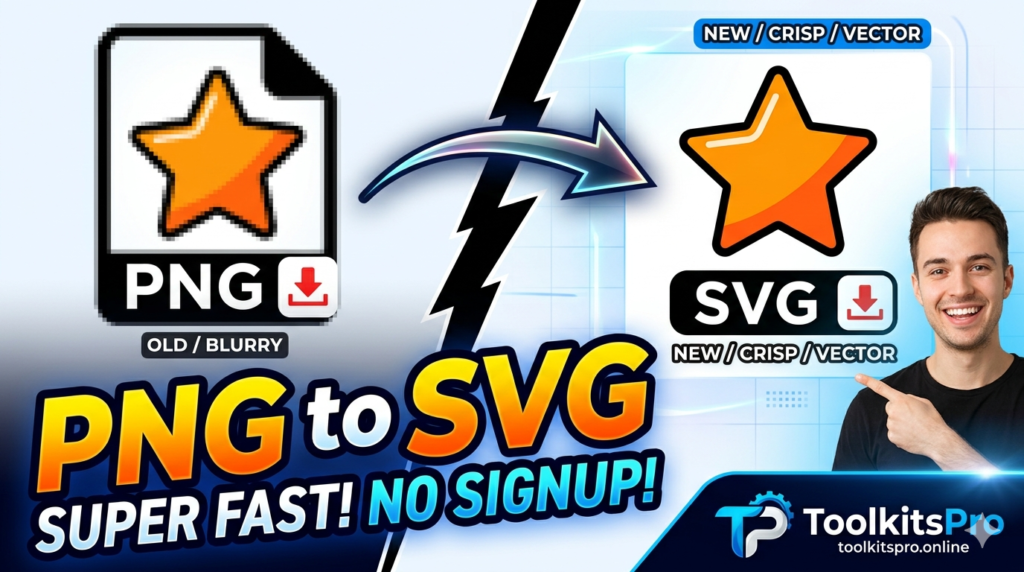
Converting PNG to SVG can noticeably improve how fast your website loads and how sharp your graphics look on any screen size. But the two formats work very differently, and not every image is a good candidate for conversion. This guide explains exactly what SVG is, when converting PNG to SVG makes sense, how the conversion process works, and how vector graphics can genuinely help both your site’s performance and its visual quality.
What Is the Difference Between PNG and SVG?
PNG (Portable Network Graphics) is a raster image format, meaning it’s built from a fixed grid of pixels. This makes PNG great for photographs and complex images, but it means the image loses sharpness when scaled up beyond its original dimensions, and file sizes grow with image complexity and resolution.
SVG (Scalable Vector Graphics) is a vector format, meaning it’s built from mathematical paths, shapes, and coordinates rather than individual pixels. This allows SVG images to scale to any size — from a small icon to a full-screen banner — without ever losing sharpness or clarity.
Why Convert PNG to SVG?
Converting suitable images from PNG to SVG offers several concrete benefits:
- Infinite scalability: SVG images stay crisp at any size, on any screen resolution, including high-density retina displays
- Smaller file sizes for simple graphics: Logos, icons, and simple illustrations are often significantly smaller as SVG compared to PNG
- Faster page loading: Smaller file sizes for compatible graphics can contribute to quicker page load times
- Easier styling: SVG code can be styled directly with CSS, allowing color and size changes without needing to re-export a new image file
- Crisp printing: Since SVGs aren’t pixel-based, they print cleanly at any size without pixelation
When Should You Convert PNG to SVG (and When You Shouldn’t)
Not every image benefits from conversion to SVG. Understanding when it’s appropriate makes a real difference in the results.
Good candidates for PNG to SVG conversion:
- Logos
- Icons
- Simple illustrations with flat colors or limited color palettes
- Line art and geometric graphics
Poor candidates for PNG to SVG conversion:
- Photographs
- Complex images with gradients, textures, or many colors
- Screenshots containing detailed text or fine visual detail
Attempting to convert a photograph to SVG typically results in a much larger, more complex file than the original PNG, since vector tracing struggles to efficiently represent photographic detail. For photos, sticking with PNG, JPG, or WEBP remains the better choice.
How to Convert PNG to SVG Online (Step-by-Step)
Using our free image converter takes just a few simple steps:
- Open the PNG to SVG converter tool on this page
- Upload the PNG image you want to convert (ideally a logo, icon, or simple graphic)
- Adjust conversion settings if available, such as color simplification or detail level
- Preview the resulting vector image
- Download your converted SVG file
No design software or vector editing skills are required — the tool handles the tracing process automatically.
How Does PNG to SVG Conversion Actually Work?
Behind the scenes, converting a raster image to vector format involves a process called image tracing (or vectorization):
- Color analysis: The tool analyzes the PNG’s color regions and boundaries
- Path generation: It converts the detected shapes and color boundaries into mathematical vector paths
- Simplification: Depending on settings, the tool may simplify complex areas to keep the resulting file size manageable
- SVG output: The final result is saved as SVG code, which browsers render directly using vector paths rather than a pixel grid
This is fundamentally different from simply changing a file extension — genuine tracing recreates the image using shapes and paths rather than pixels.
SVG and Website Performance
Website speed is influenced by many factors, and image format is one practical piece of that picture. Using SVG for compatible graphics like logos and icons can contribute to a lighter overall page weight, since well-optimized SVG files for simple graphics are often smaller than their PNG equivalents.
SVGs also render sharply on all screen densities without requiring multiple image versions (like separate files for standard and retina displays), which can further simplify a site’s asset management.
That said, image format alone isn’t the only factor in site speed — server response time, caching, overall page structure, and other assets all contribute meaningfully as well. Converting appropriate images to SVG is one useful piece of a broader performance strategy, not a complete solution on its own.
SVG and Search Engines
Since SVG files are essentially XML-based text rather than binary pixel data, they can include descriptive elements like a <title> tag within the SVG code itself. This allows for more descriptive, accessible markup compared to a standard image file, which can be a minor benefit for accessibility and semantic clarity, alongside the performance advantages of smaller file sizes for compatible graphics.
PNG vs. SVG Comparison Table
| Feature | PNG | SVG |
|---|---|---|
| Format Type | Raster (pixel-based) | Vector (path-based) |
| Scalability | Loses quality when enlarged | Scales infinitely without quality loss |
| Best For | Photos, complex images | Logos, icons, simple graphics |
| File Size (simple graphics) | Larger | Typically smaller |
| File Size (photos/complex images) | Appropriate | Not suitable |
| Editable with CSS | No | Yes |
Tips for Best PNG to SVG Conversion Results
- Start with a clean, high-contrast PNG for the best tracing accuracy
- Simple logos and icons with flat colors convert far more cleanly than detailed or gradient-heavy images
- Review the converted SVG for accuracy, especially around fine details or text within the original image
- For complex brand logos, consider having a designer create a native vector version rather than relying solely on automated tracing
- Test the converted SVG at multiple sizes to confirm it scales cleanly for your intended use
Frequently Asked Questions
Is this PNG to SVG converter free to use? Yes, the tool is completely free with no hidden charges or sign-up requirements. You can convert as many images as you need.
Can I convert any PNG image to SVG? Technically yes, but the results vary significantly. Simple images like logos and icons convert cleanly, while photographs and complex images typically produce large, inefficient SVG files and aren’t recommended for conversion.
Will converting to SVG make my website load faster? For compatible graphics like logos and icons, SVG files are often smaller than their PNG equivalents, which can contribute to faster loading. However, overall site speed depends on many factors beyond just image format.
Do I need design software to convert PNG to SVG? No, this tool works entirely online through your browser using automated tracing, so there’s no need for vector design software.
Can SVG files be edited after conversion? Yes, since SVG is based on code rather than pixels, the resulting file can be edited with a text or code editor, or opened in vector design software for further adjustments.
Why shouldn’t I convert photos to SVG? Vector tracing struggles to efficiently represent photographic detail, gradients, and complex textures, often resulting in a much larger and less accurate file than simply keeping the image as PNG, JPG, or WEBP.
Final Thoughts
Converting PNG to SVG is a genuinely useful step for logos, icons, and simple graphics — offering infinite scalability, often smaller file sizes, and easier styling with CSS. It isn’t the right choice for every image, particularly photographs and complex visuals, but for the graphics it suits, vector format delivers a sharper, more flexible result. Use the free converter above to turn your compatible PNG graphics into clean, scalable SVG files in seconds.